I think It’s fairly typical for people to not really blink an eye when spending hundreds of dollars to pay for a smartphone, but then really second-guess at spending a buck for an app. I’m definitely like this. I rarely buy an app, unless it’s super important to me.
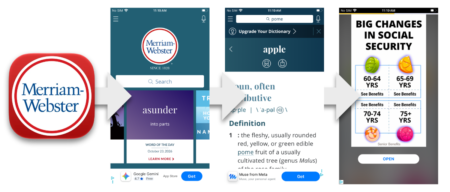
One type of app I’ve been consistently let down by are dictionary apps. The first one I tried was Websters. It starts off well enough, but after every word lookup, there is an ad. Not just an ad, but a full-screen un-skippable timed ad. It seems very egregious for an app that just looks up words.
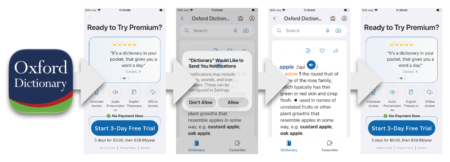
I got tired of it and tried a different app; the Oxford Dictionary. It started off on a worse foot. It started with a plea for purchasing a subscription ($30 a year!) to use it ad-free, then asked me to accept push notifications before I even got to the main screen for the first time. It has an ad at the bottom, and then another full-screen ad between word lookups.
I deleted that one immediately.
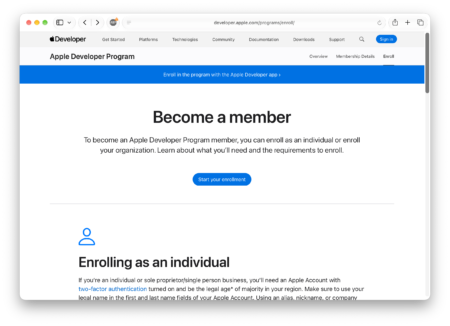
Being so annoyed, I set out to make my own dictionary app with no ads or tracking. The first step was to get an Apple Developer account, which costs $99 plus tax ($108).
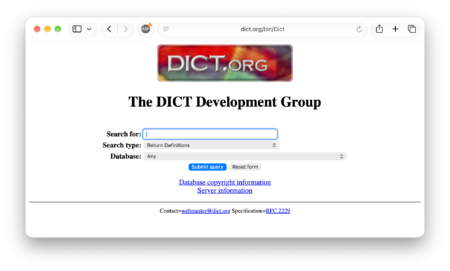
I’ve been familiar with Dict.Org for as long as I can remember. They are a repository of public domain dictionaries and serve them without any ads and have a public API.
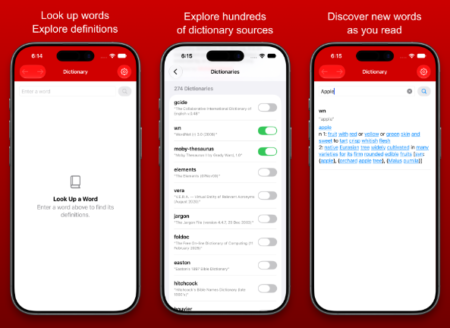
I made a simple app that allows the user to select from the available dictionaries, query the results, and clean up the returned text a little bit. It also highlights words so the user can click them to look up them up with along with some minimal navigation arrows.
No frills. No amazing features. No ads. Just a boring dictionary app.
It’s been a long time since I’ve dabbled with the App Store. Honestly, the last time I worked on an App was probably 15 years ago. What surprised me most about the whole endeavor was how many hoops there are to jump through. Here are some of the hoops I jumped through on the journey to the App Store:
- Provide 3 iPhone screen shots (clear direction is given, but it took me some time to find the proper templates and blank iPhone imagery. They need to be screenshots from a modern device with Dynamic Island)
- Provide 3 iPad screen shots (same as above)
- A dedicated webpage explaining the privacy policy of the app
- A dedicated webpage explaining the options for tech support
- Choose which countries and territories could have my app in their App Stores
- Rate the app for appropriateness for children (I went with 13+ because I suppose you could look up naughty words)
- Additional disclosures about services, privacy, etc.
After 2 days, my app got rejected. They wanted additional information because it was the first submission of this app. They wanted…
- A screen recording from a physical device showing how the app works
- A description of the intended purpose and target audience
- Instructions for setting up and accessing the apps main features
- A list of external services used
- Regional differences for the app
- Information about whether this app works in a highly regulated industry
Most of this seems very self-evident from seeing what had already been submitted…. But I complied. A little more than 2 weeks later, the app was rejected again. This time because…
The app name and screenshots include references to the price of the app or the service it provides, which is not considered an appropriate part of these metadata items.
Note that references to free or discounted services are considered a price reference and are not appropriate for app metadata.
Since the app was named “FreeDict” and I was advertising it as Free, Ad-Free, and Subscription-Free, it was violating these rules. I had to go redo all the screenshots, and rename the app. Now it’s called LexiDict. I resubmitted again. (Note that all these resubmissions actually required no changed to the code or executable; they are all related to the App Store meta data…)
Although most of these requests seem reasonable, altogether it felt like a lot just to get a simple app out in the open.
In the end, I spent less than a day making the app, and over 4 weeks getting it submitted and reviewed. But finally, it’s here. You can download the extremely basic, minimally featured, ad-free FreeDict LexiDict from the App Store.