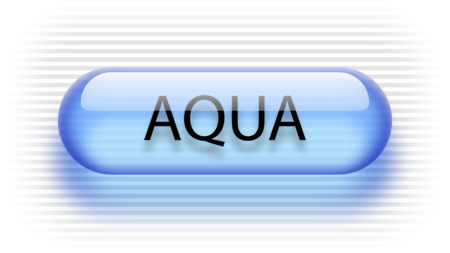
At MacWorld in 2000, Steve Jobs introduced the world to “Aqua”. Aqua was the interface of the upcoming OS X. It was meant to be beautiful, and as Steve put it, “lickable”. The UI wasn’t universally well-received in its time. Some people mocked it saying it looked like an OS for children, or that it looked silly and too colorful. I loved it right away and saw it as making computing much more beautiful and fun.
OS X used the Aqua UI for quite a long time. The UI was toned down over time. The pin-striping was more muted in Panther (10.3), then removed altogether in Lion (10.5). Brushed metal was replaced with a less textured grey as well. Yosemite (10.0) saw the exit of glossy UI elements. Buttons no longer had a glossy sheen, but were a flat gradient, and we’ve been living in this flat UI from then up until Liquid Glass was introduced.
Liquid Glass was introduced in Mac OS 26 Tahoe. It too was not universally well-received. I was even hesitant because I was afraid there would be too much visual noise, or too much effort being wasted on rendering the subtle distortions in the glass effects.
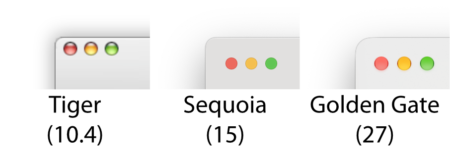
When I upgraded to Mac OS 27 Golden Gate, I completely changed my mind. What changed my mind was noticing how glossy and beautiful the title bar buttons are. I was instantly reminded of Aqua and how much more fun they looked than they have for years as flat-colored circles.
I thought that as a tribute to Aqua I’d recreate the original graphic Steve Jobs used in his keynote presentation. I made this in Affinity using only vector tools. Below is a 30-second time-lapse showing the complete 8 minutes process from start to finish.